
Standard mode
The normal way to capture an asset. The record comes from the photograph. A data plate is optional: it tightens the read, and it reads whatever is printed on the plate. The person on site approves it, then the data is triaged.
Product
AssetSnap does one job: turn a photograph into a consistent asset record your existing CAFM or CMMS can load. It does not replace those systems.
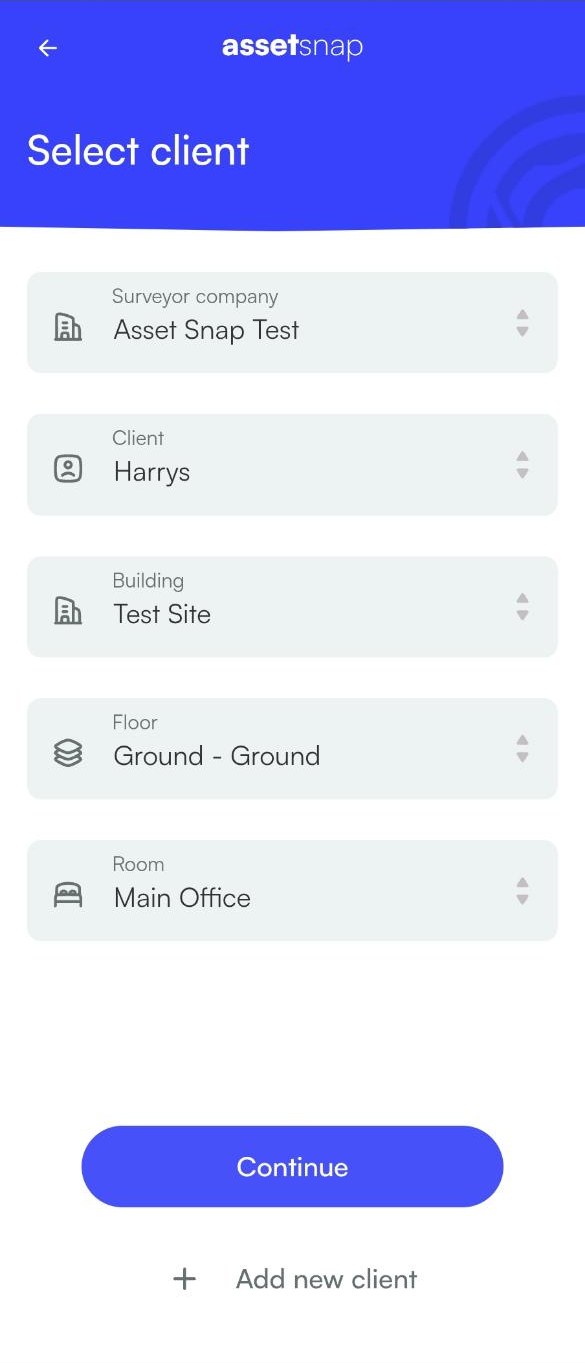
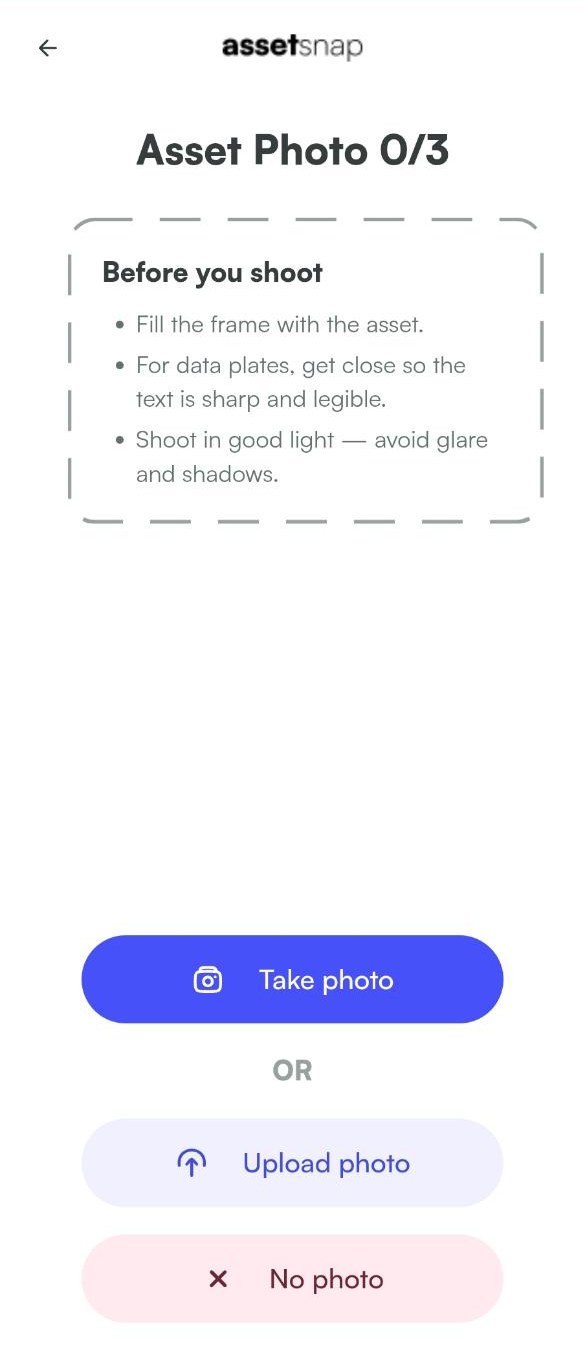
01
Take a picture of the asset. That photo fills the record. If a field is missing, they fill the gap. Most of the time they check it and approve it. A data plate is optional. It tightens that read, and it reads whatever is printed on the plate.
02
The person on site checks the record and approves it. If a gap was left, they fill that first. The data is then triaged, and the person in triage can correct it. The camera does not sign the record off.
03
It depends on the job. Some customers take a file and load it themselves. Excel and CSV are included. If it has to match a template — Planon, Maximo, Concept, or your own sheet — we map it. Nobody retypes each asset. Your CAFM or CMMS stays the system of work. AssetSnap is the system of capture.
The normal way to capture an asset. The record comes from the photograph. A data plate is optional: it tightens the read, and it reads whatever is printed on the plate. The person on site approves it, then the data is triaged.
For identical assets in one room, such as lights. Photograph one, then tally how many are operating and how many are not. If someone else is already in that room, the app flags it, so the count is not done twice by accident. It does not lock the room.
Through to their approval, wherever the asset is. Triage comes after.
The same asset type is written the same way, every time. An air handling unit is always an air handling unit, not an AHU.
Engineers and apprentices use the same flow. You do not have to send a specialist.
Some jobs leave as a file someone loads. Others are mapped into Planon, Maximo, Concept, or your own sheet. It is not another helpdesk.
The same day. There is no onboarding project. Open the account, and your people can be capturing.
Nobody retypes each asset. The person on site approves the record, and someone in triage can correct it. Some jobs leave as a file someone loads. Others are mapped into Planon, Maximo, Concept, or your own sheet.
The app flags when someone else is already in that room, so the same work is not done twice by accident. It does not lock the room.
Yes. Some jobs leave as a standard Snap file, plus Excel and CSV, for someone to load. If it has to land in Planon, Maximo, Concept, or your own sheet, we map it.